Table of contents
What are the platform dashboards for and how can I use them daily?
The platform provides dashboards for wards/residential areas and individual rooms. They aggregate alarms in a compact view, allowing you to quickly identify alarm frequencies and potential areas for optimization.
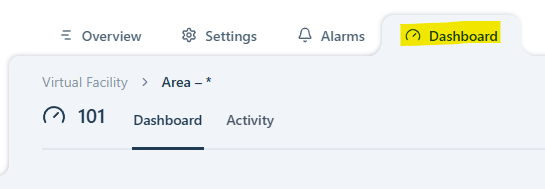
To access the dashboards, click the Dashboard tab.
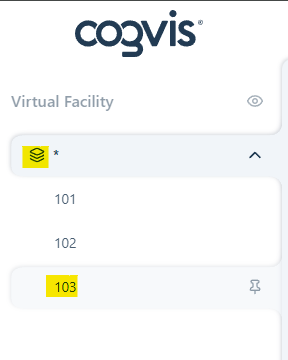
To view alarm frequencies per ward/residential area or room, select the desired level in the left navigation bar.
Unlike the alarm overview, the dashboards provide a summary of the most frequent alarms rather than a list of all individual alarms. These are displayed as individual charts with detailed information, allowing you to review the distribution of fall and prevention alarms, the times when most alarms occured, and the level of care required at night by active residents and patients. At the room level, the information is displayed in daily, weekly, or monthly overviews.
If you want to learn more about the structure of the dashboards and how to use them in your daily work, please contact your Customer Success Manager. We are happy to give you a detailed walkthrough in an online meeting.