
Table of contents
How can I adjust the sensor orientation?
Depending on the sensor generation, you can adjust the cogvis companion's orientation as follows:
Gen 1.8
First, start by adjusting the sensor's orientation manually. To do this, use a ladder to reach the sensor and then move the sensor in the desired direction.
As a next step, check the orientation on the platform by going to the Overview tab and then clicking Actions and Restart . Within a few moments, you will receive an updated field of view in the room layout.

If you are not yet satisfied with the orientation, please repeat the two steps.
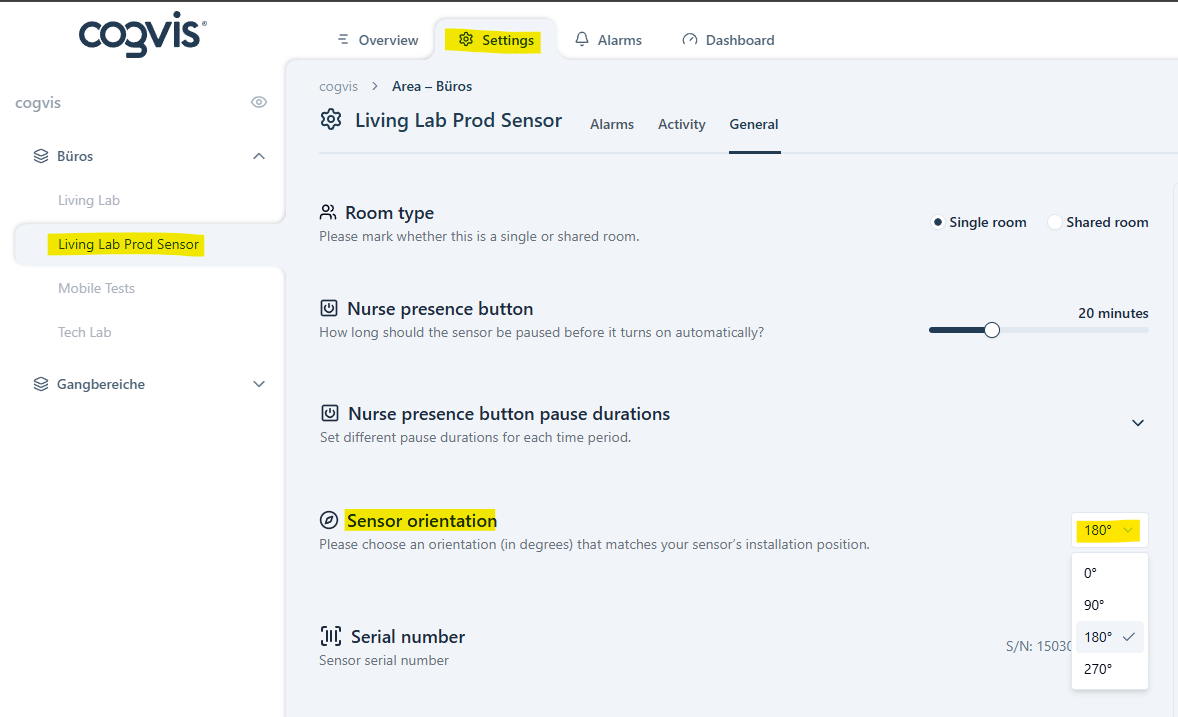
If the sensor appears 'upside down', its orientation must be adjusted via the platform. To do this,
- please open the desired room on the platform,
- go to the Settings
- and then to General to turn the orientation on the platform under the item Sensor orientation.
Gen 2.0
Changing the orientation of a Gen 2.0 cogvis companion is done exclusive via the platform. An orientation is already predefined and saved during installation. However, if you need to change the field of view or create multiple orientation presets,
- please open the desired room on the platform,
- go to the Settings
- and then to General and Sensor orientation .
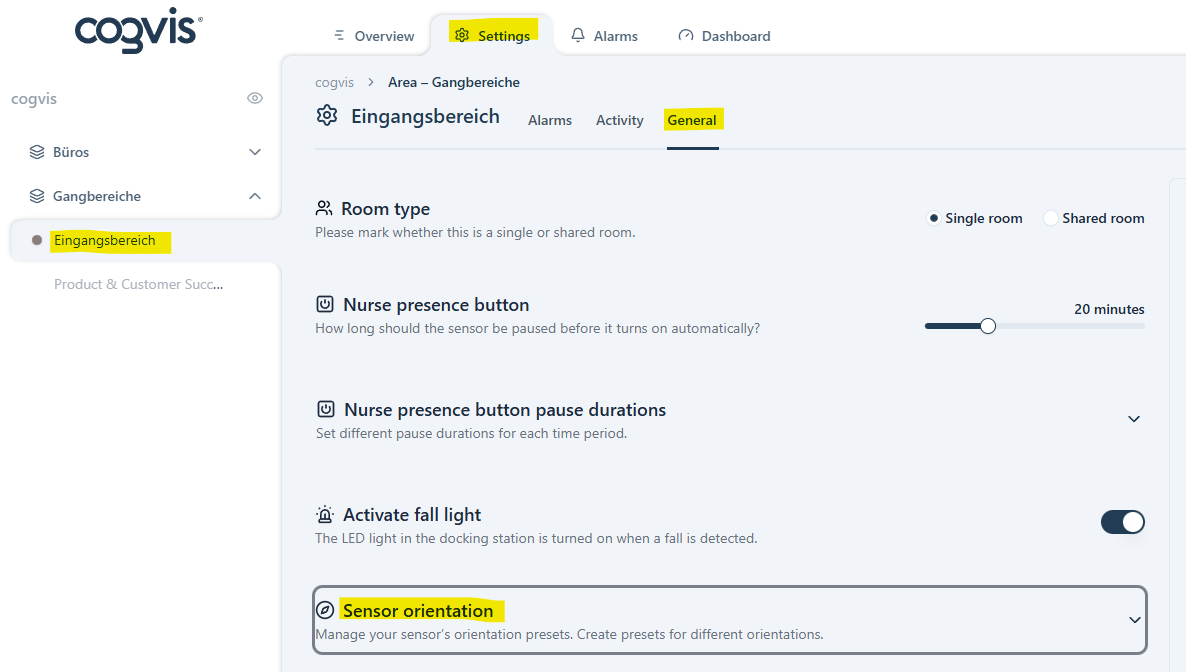
You can now add another orientation preset using the plus sign or change the existing orientation using the slider.
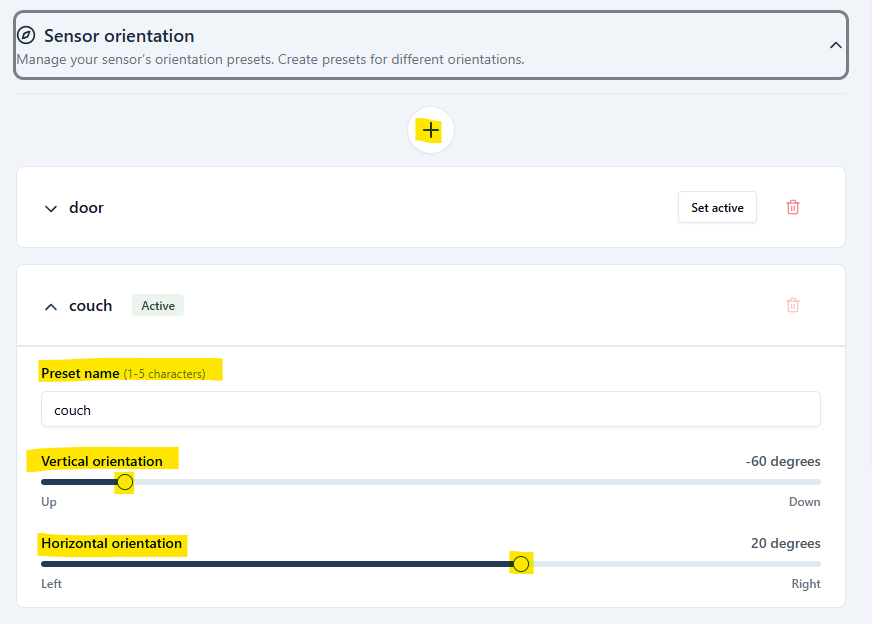
You can also assign a name to the orientation preset (e.g., Bed 1, Bed A, Door, etc.). The names are limited to 5 characters to ensure that no resident's/patient's names are stored on the platform.
If you have multiple orientation presets, you can switch between previously saved ones. Up to 5 presets can be saved per dockingstation.
Please note that the orientation may only be changed three times within 30 minutes.
The furniture has been repositioned. What do I need to do to make this visible on the platform?
If the position of the furniture (especially the bed) changes, it may be necessary to reposition the bed point and virtual beams.
A restart is needed to show the current field of view on the platform, unless the sensor has already been restarted.
To do this, open the desired room and select the Overviewtab. On the right side of the screen you will find the button Actions. Click on it and then select Restartto update the sensor's field of view.

Alternatively, you can also restart the sensor via the room list/grid view at the area level./-kacheln auf der Ebene der Station/vom Wohnbereich neu starten.